The Bloom platform

Every lesson, all in one place.

Bloom lessons run on our own learning platform. Your child joins from a web browser, works through problems with their tutor on a shared whiteboard, and can replay every lesson afterwards. Homework, grades and topic progress all sit on the same dashboard.
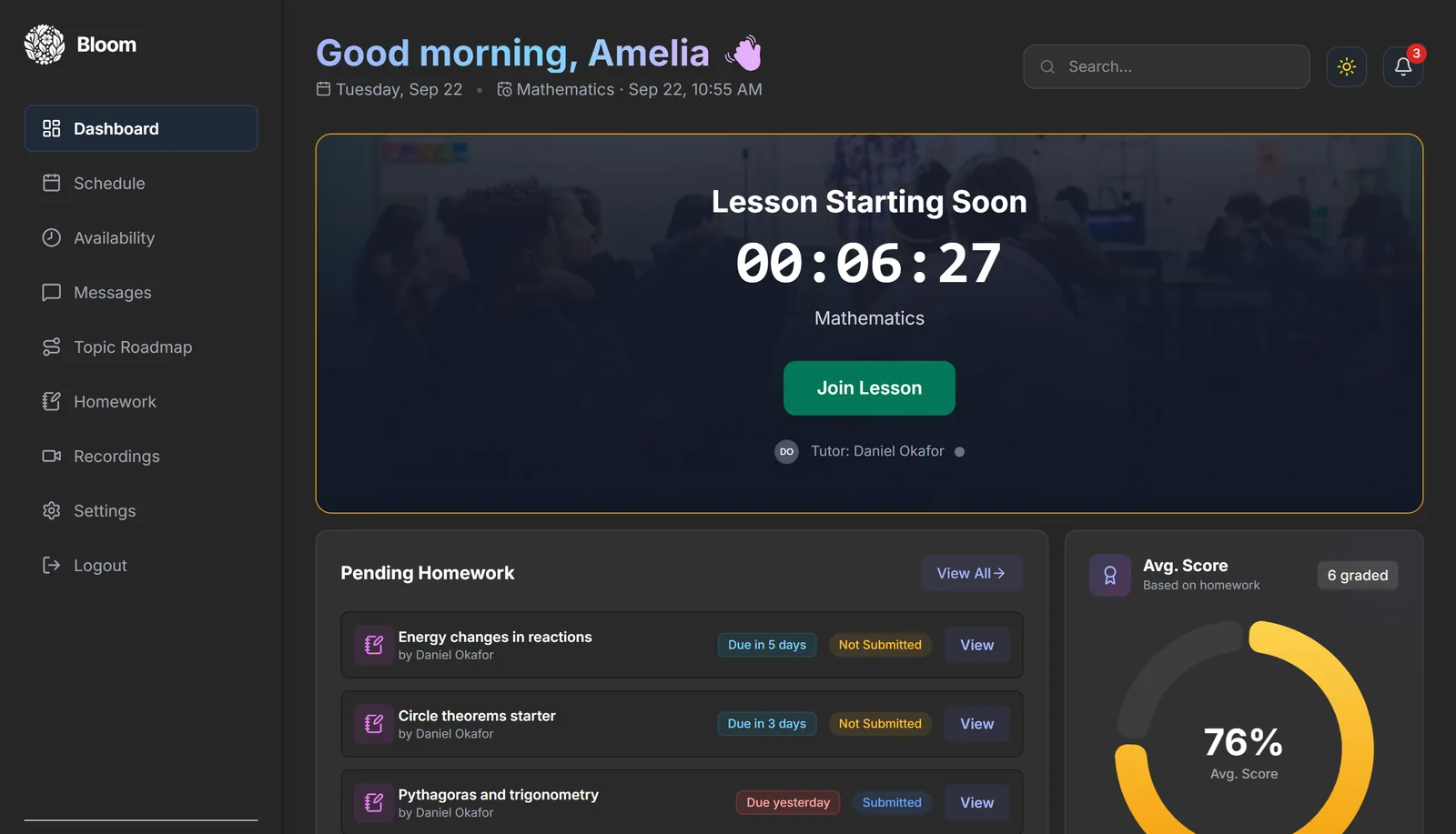
Bloom: Student dashboard
Bloom student dashboard showing a countdown to the next maths lesson with a Join Lesson button, pending homework with due dates, and an average homework score of 76%.

Real screenshots of the Bloom platform. The student, tutor and grades shown are from a demo account.

Live 1-on-1 lessons Shared whiteboard Every lesson recorded Topic roadmap Homework with written feedback Free first session Cancel anytime Live 1-on-1 lessons Shared whiteboard Every lesson recorded Topic roadmap Homework with written feedback Free first session Cancel anytime

Everything in one platform

The lesson, the recording, the homework and the progress record all live in one account, so nothing gets lost between sessions.
01: Live lessons
An interactive classroom in the browser
Tutor and student meet in a Bloom classroom with video, a shared whiteboard and the lesson's workbook side by side. There is nothing to install.
A whiteboard you both write on
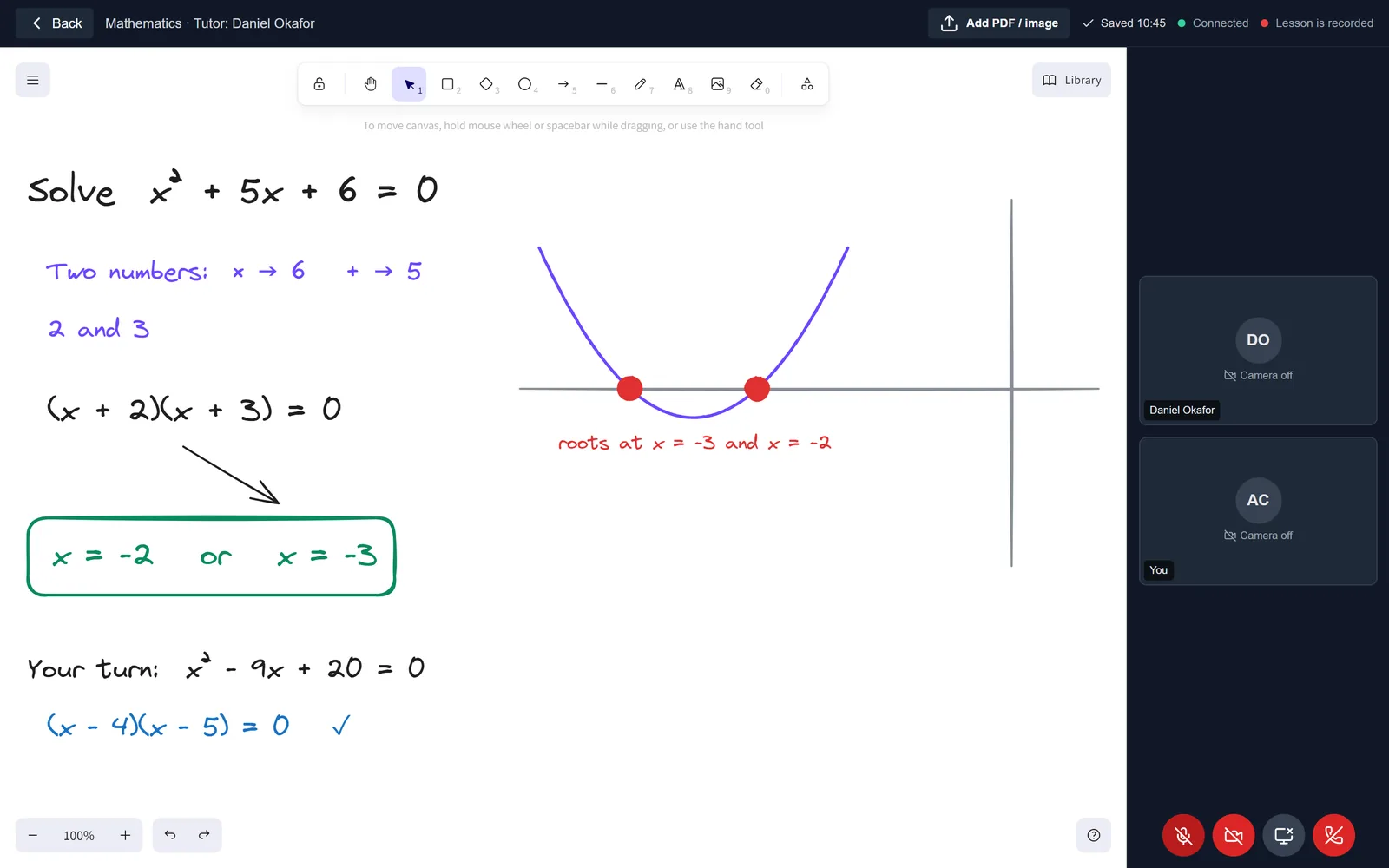
Worked examples, diagrams and graphs built together, live
Workbooks that follow the tutor
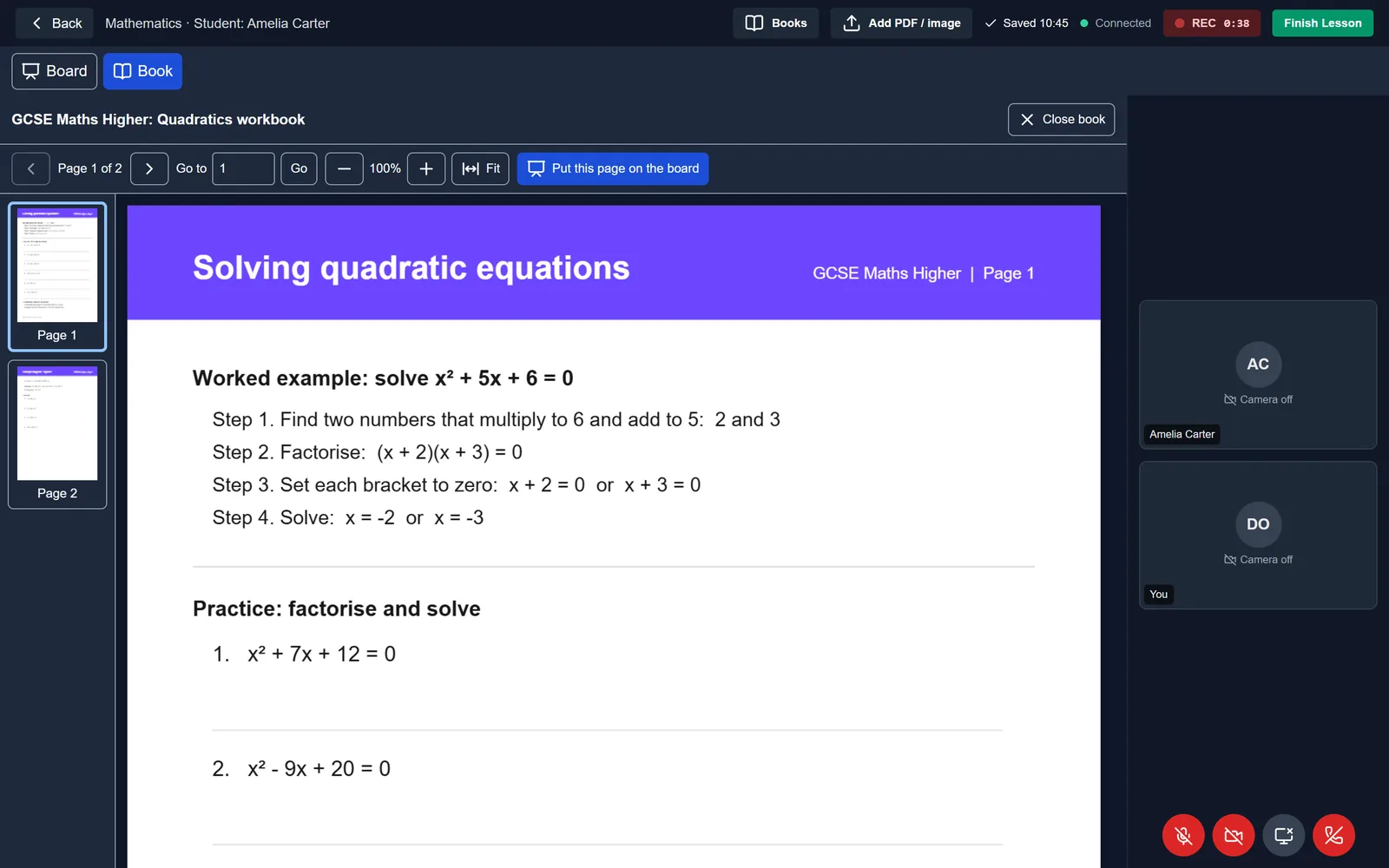
When the tutor turns the page, your child's screen turns too
Bring your own questions
Upload a PDF or a photo of a worksheet straight onto the board
02: Recordings
Every lesson, ready to replay
Lessons are recorded automatically and saved to your child's account, so an explanation that didn't quite land can be watched again before the next test.
Recorded without anyone pressing a button
The classroom shows clearly when a lesson is being recorded
Tagged with the topics covered
Search by subject, tutor or topic to find the right lesson
03: Progress
Progress you can actually see
Tutors log the topics covered in every lesson. The Topic Roadmap turns that into a clear picture of what's done and what's next in each subject.
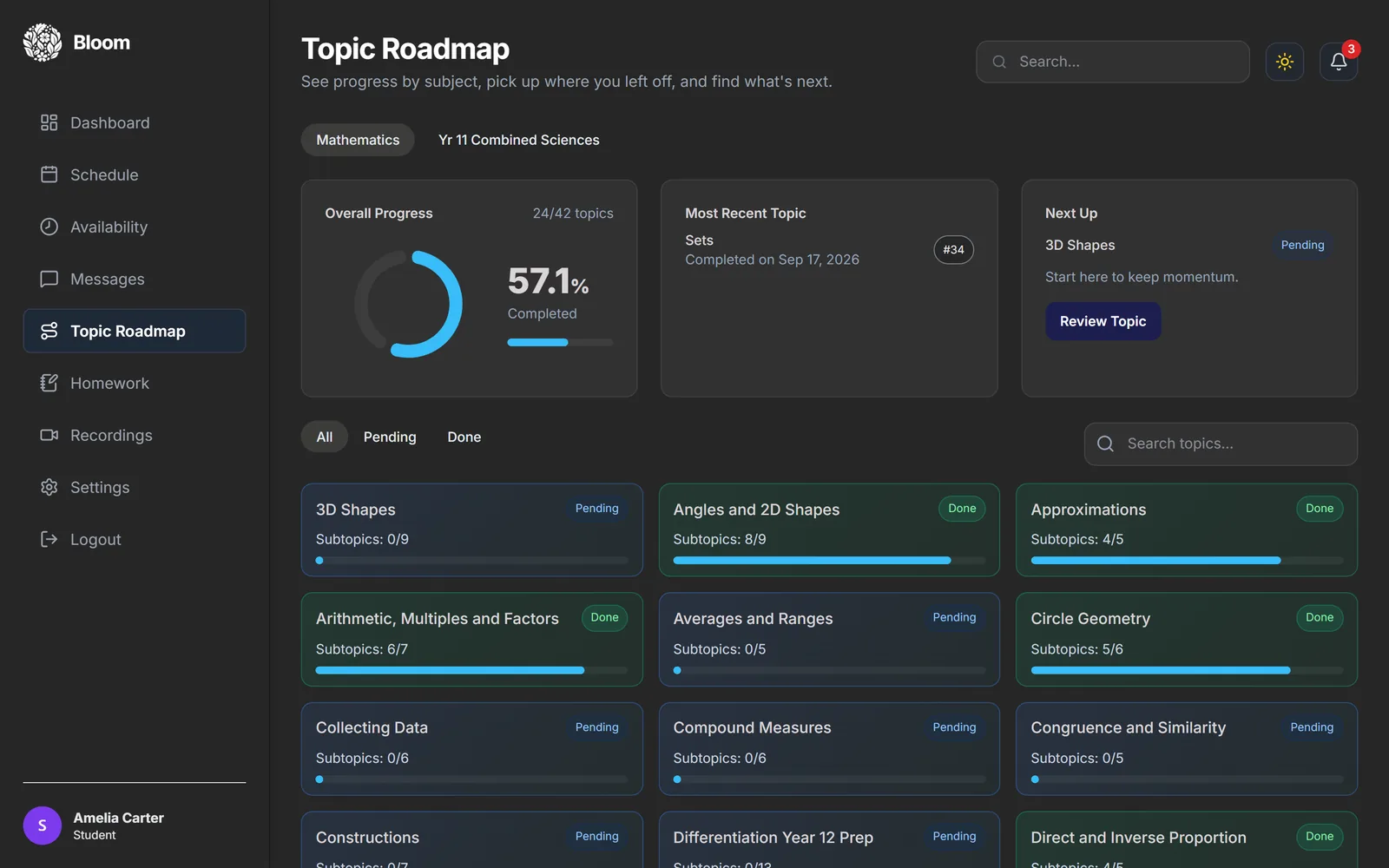
Topic Roadmap for each subject
Topics marked done or pending, with subtopic progress
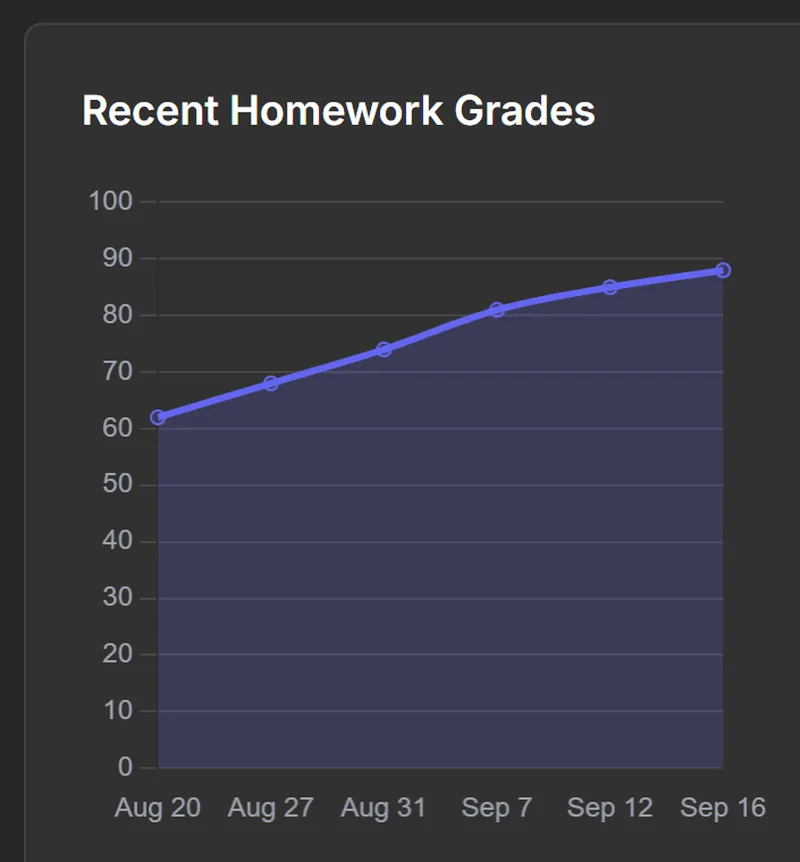
Homework grades over time
A chart on the dashboard shows whether scores are rising
04: Homework
Homework with real feedback
Tutors set homework in the platform, your child submits it online, and it comes back with a grade and written comments from the tutor.
Due dates in one list
Pending, submitted and graded work, with worksheets attached
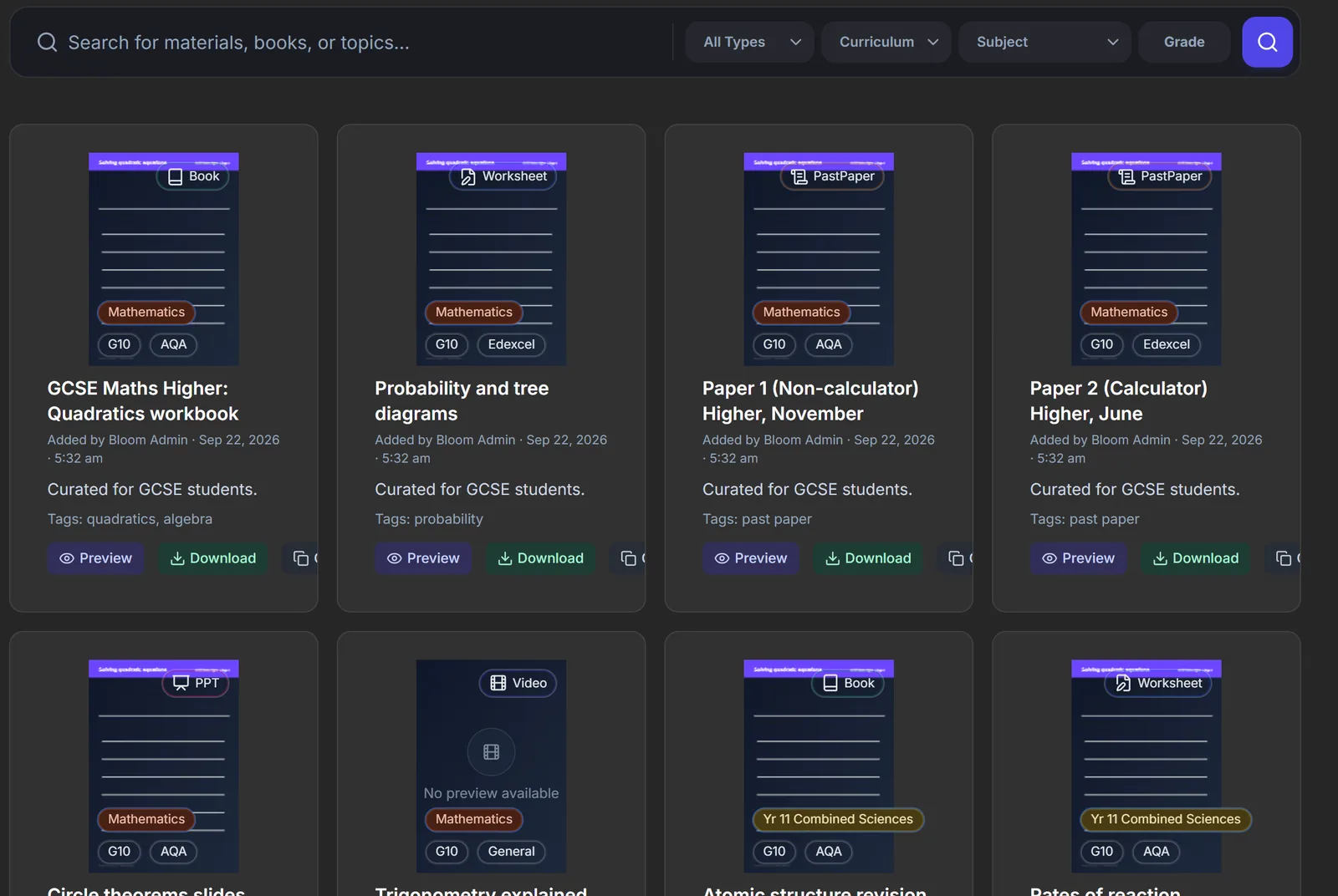
A shared materials library
Books, past papers, worksheets and slides by exam board and subject
Bloom live classroom: a shared whiteboard with a worked solution to x squared plus 5x plus 6 equals 0, a sketched graph of the roots, and tutor and student video tiles on the right.
Tutor's view of the Bloom classroom with a quadratics workbook open, page navigation, a Put this page on the board button, and a recording indicator.
Live interactive lessons

A classroom built for 1-on-1.

Your child doesn't just watch a tutor talk. They work on the same board, in real time, on the same page of the same workbook. That is how a tutor can see exactly where a method goes wrong and fix it on the spot.
Shared whiteboard
Text, shapes, arrows, graphs and freehand drawing. Everything either person adds appears instantly on both screens.
Workbooks on screen
The tutor opens a book from the library and your child's view follows along. Any page can be dropped onto the whiteboard to work on.
Video and audio built in
No separate video-call link to find. Your child presses Join Lesson on the dashboard and the classroom opens.
Book a free assessment
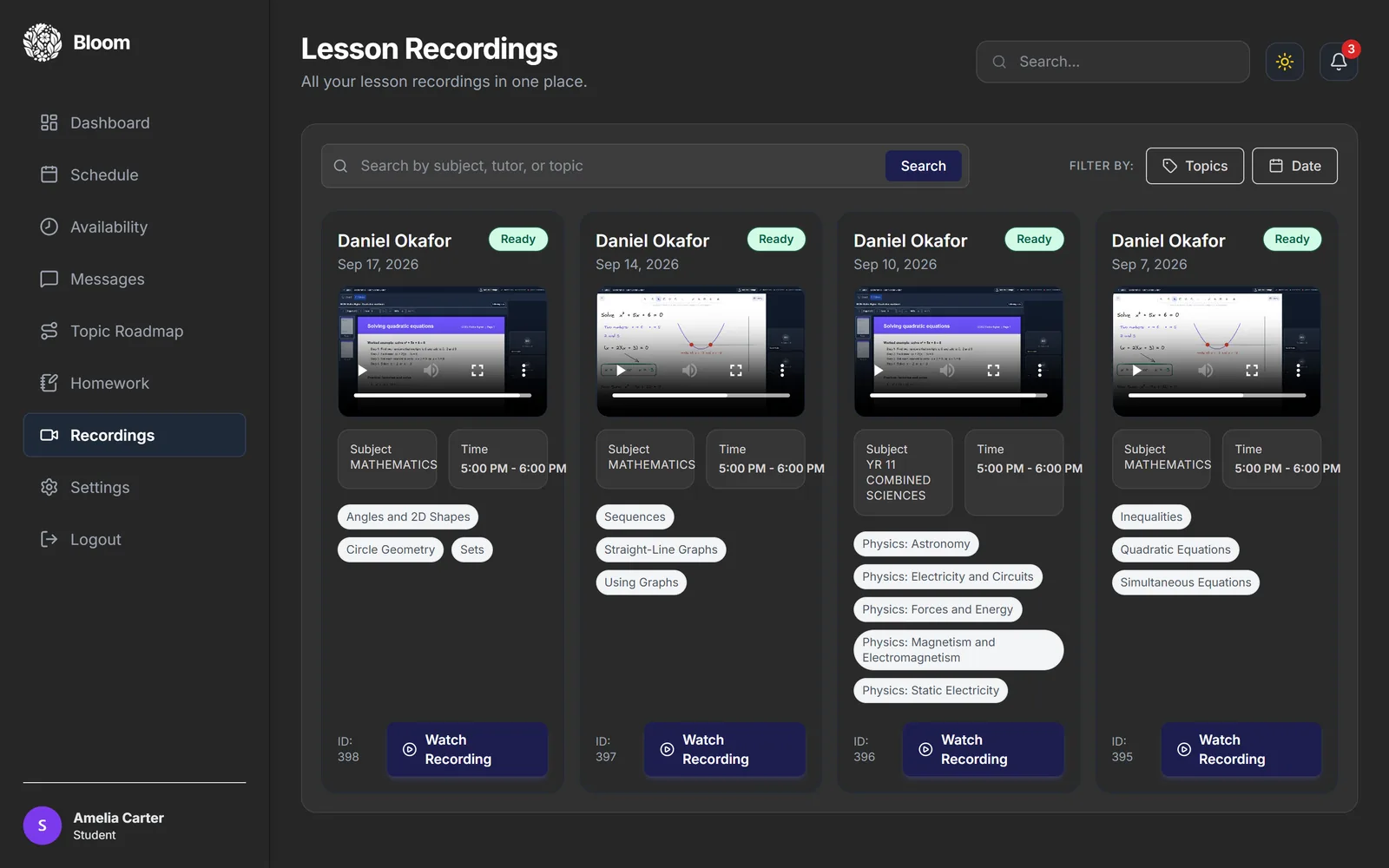
Bloom Lesson Recordings page: four recorded maths and science lessons, each with a video player, date, time and tags for the topics covered.
Lesson recordings

Missed a step? Watch it again.

Every lesson is recorded and kept in your child's account. Revising for a test, catching up after a busy week, or just rewatching the part that finally made sense: it is all there.
The whole lesson, board included
Recordings capture the whiteboard and the workbook, not just the video, so worked examples are easy to follow on replay.
Find the right lesson fast
Each recording lists the topics covered. Filter by topic or date, or search by subject and tutor.
Bloom Topic Roadmap for Mathematics: 57% of topics completed, the most recent topic, the next topic to study, and cards for each topic marked done or pending with subtopic progress bars.
Recent Homework Grades chart rising from 62 to 88 over four weeks.
Progress tracking

Know what's covered and what's next.

After each lesson the tutor records which topics were covered. The platform turns that into a roadmap for every subject, alongside the grades from marked homework, so you can see progress instead of guessing at it.
Topic Roadmap
Every topic in the subject, marked done or pending, with how many subtopics have been covered and a suggestion for what to tackle next.
Grades over time
Marked homework feeds a grades chart and an average score on the dashboard, so the trend is clear at a glance.
Book a free assessment
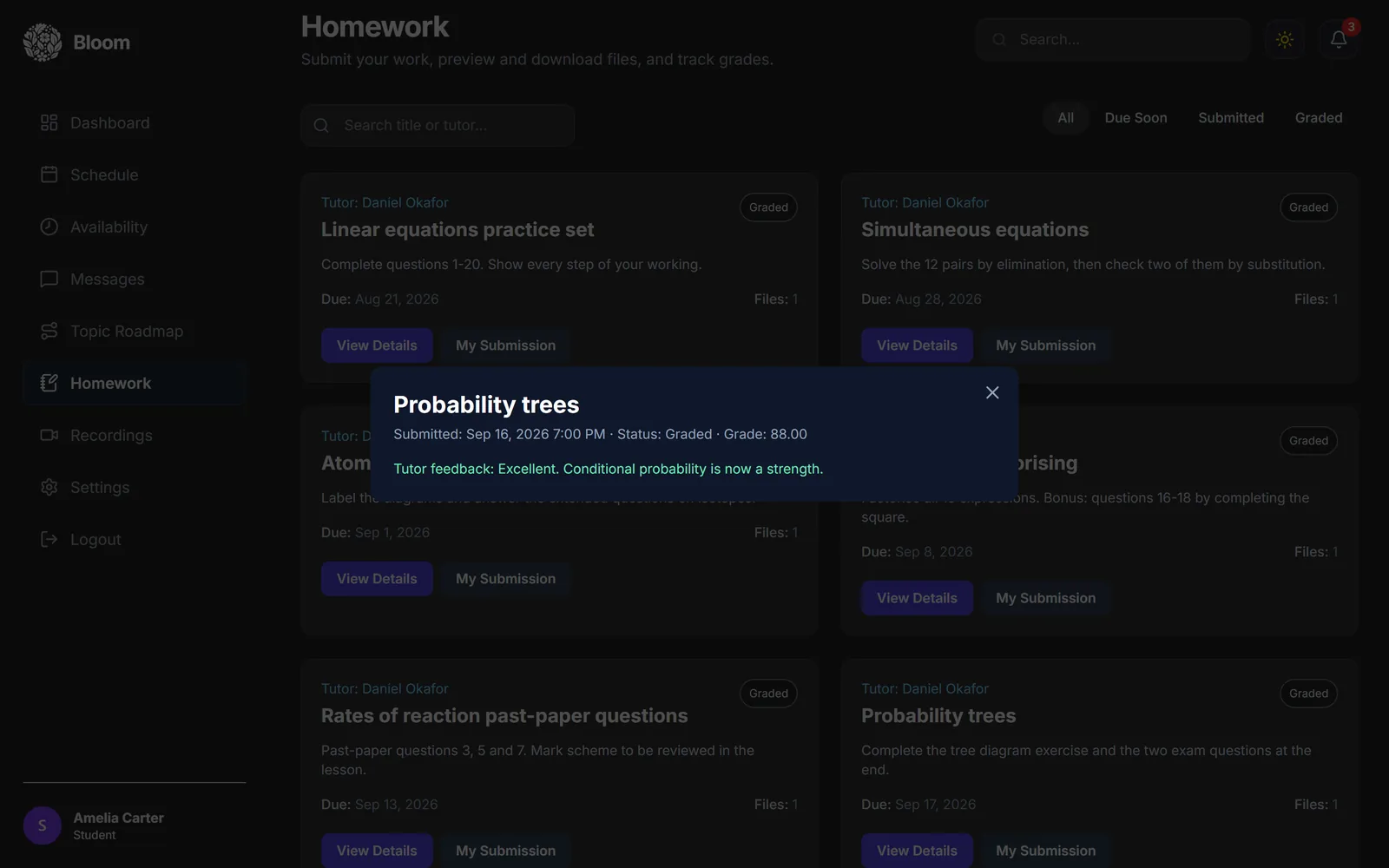
Bloom Homework page with a graded submission open: Probability trees, grade 88, with the tutor's written feedback.
Bloom Materials Library with books, worksheets and past papers filtered by type, curriculum, subject and grade.
Homework and materials

Practice that gets marked.

Homework is set, submitted and marked inside the platform. Your child always knows what's due, and every piece of work comes back with a grade and a comment from the tutor explaining what to do next.

Set, submit, marked
Worksheets are attached to each task. Your child submits online and sees the grade and feedback as soon as the tutor has marked it.
A library behind every tutor
Tutors draw on a shared library of books, past papers, worksheets and slides, organised by exam board, subject and year group.
Book a free assessment
Start today

One free session. See the platform working for your child.

Book a free assessment session and try the Bloom platform for yourself: live whiteboard, video and a report on where your child needs help, with no commitment and no cost.

Questions parents ask about the platform

01
Does my child need to install anything?
No. Lessons run in a web browser. Your child logs in, presses Join Lesson on their dashboard, and the classroom opens with video, the whiteboard and any workbook the tutor is using.
02
Can we watch a lesson again?
Yes. Lessons are recorded automatically and appear under Recordings in your child's account, with the topics covered listed on each one.
03
How is progress tracked?
Tutors log the topics covered in each lesson. The Topic Roadmap shows, subject by subject, which topics are done and which are still to come, and marked homework grades are charted over time on the dashboard.
04
Which exam boards does Bloom support?
Bloom supports AQA, Edexcel, OCR, IGCSE, and WJEC across all major subjects, and tutors are matched based on the specific specification your child is sitting.
05
How does homework work?
Tutors set homework in the platform with any worksheets attached. Your child submits it online and gets a grade and written feedback from the tutor, all kept in one place.
06
Is the assessment session really free?
Yes, completely. The first session costs nothing and there's no card required to book. You experience the platform in full and decide whether to continue with no pressure either way.